Dell Pro Dock USB-C Docking Station (DELL-WD25) | Like New
SKU: DELL-WD25-LN
 Same Day Shipping - Arrives in 3-5 Business Days
 /returns-icon.jpg) 30-day Returns
30-day Returns All orders will ship on January 5, 2026


 Same Day Shipping - Arrives in 3-5 Business Days 30-day Returns
 All orders will ship on January 5, 2026
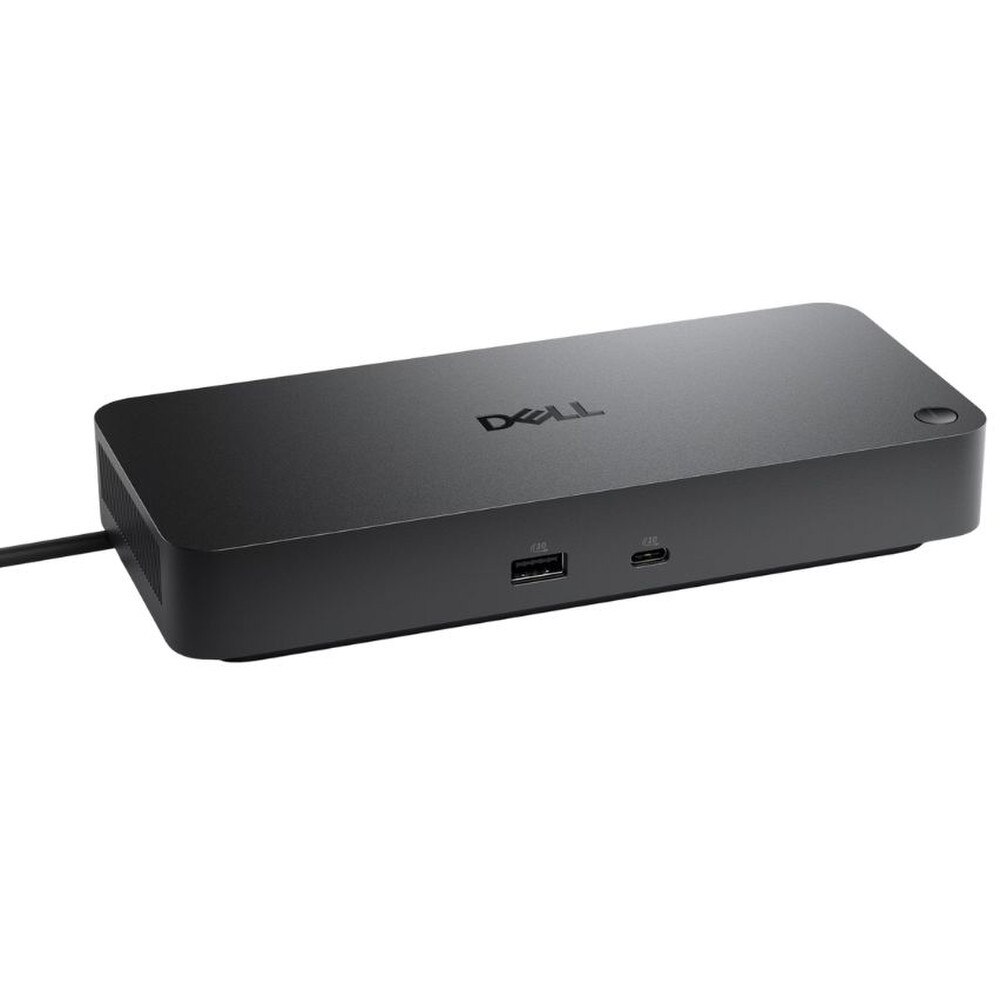
The Dell Pro Dock USB-C Docking Station (DELL-WD25) is a powerful USB-C docking station that has been precisely engineered to power contemporary workstations and increase productivity. Strong 100W power for Dell laptops (96W for non-Dell laptops) and excellent support for 6K, 5K and 4K displays via twin DisplayPort 1.4, HDMI 2.1 and USB-C with DisplayPort Alt Mode allow it to connect up to four external monitors with ease. With its fast 2.5GbE network connection, high-speed USB 3.2 Gen 2 ports and enterprise-grade administration features like PXE Boot, Wake-on-LAN, MAC address pass-through and remote firmware updates via Dell Device administration Console, the WD25 turns your desk into a dynamic workplace. The WD25 offers safe, scalable docking that is ideal for both remote installations and hybrid workplaces due to its sturdy construction, contemporary cable management and wide OS compatibility.
• Multi-Monitor Support connect up to four monitors with support for 6K, 5K, 4K, QHD and FHD resolutions.
• Superior Power Delivery with up to 100W to Dell systems (96W to non-Dell) for fast device charging and stable performance.
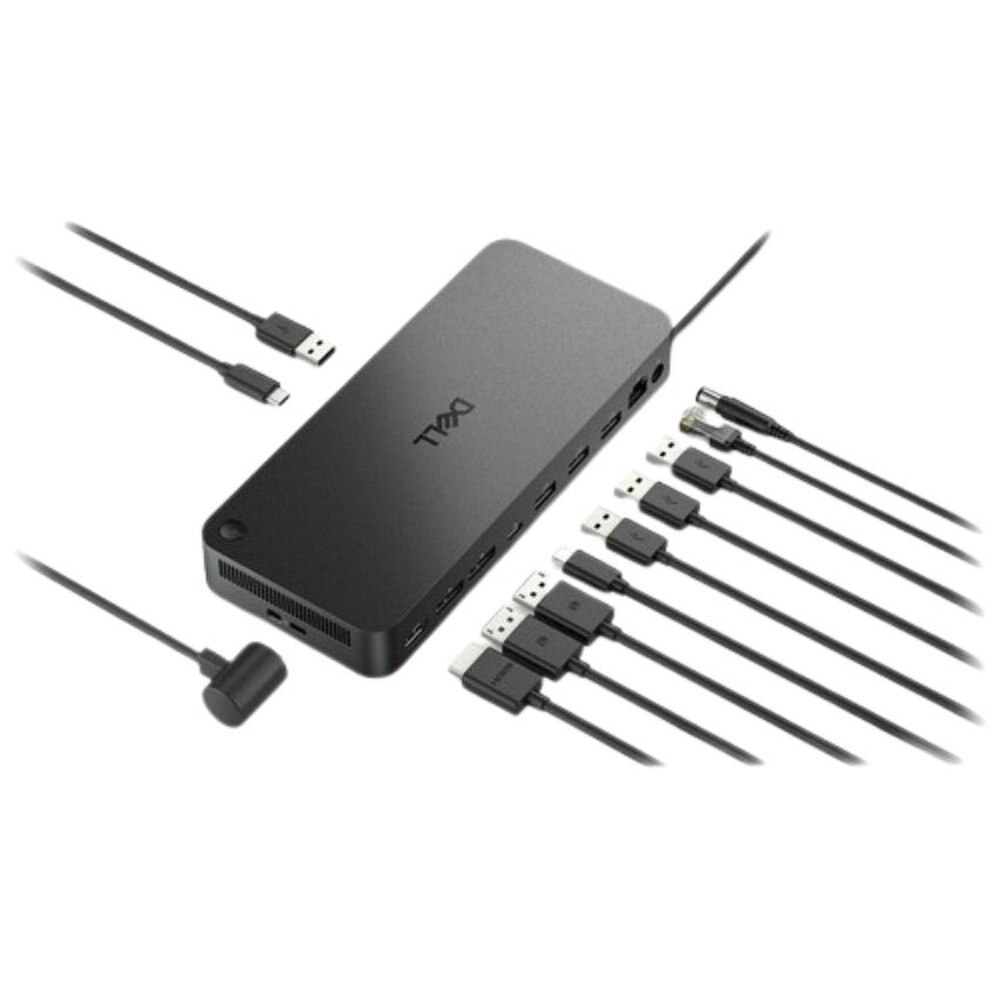
• Versatile Video Ports with 2 × DP1.4, 1 × HDMI 2.1 and 1 × USB-C 3.2 Gen 2 Multi-function DisplayPort 1.4 Alt Mode.
• High-Speed USB with 4 × USB-A 3.2 Gen 2 (10Gbps), 1 × USB-C 3.2 Gen 2 (10Gbps), plus PowerShare capabilities for charging.
• 2.5GbE Networking with reliable, fast network performance with advanced security and stability.
• Enterprise Management with remote firmware updates, port disablement and broad OS support (Windows, Linux, ChromeOS).
• Robust Security with Kensington and wedge lock slots, plus disabling ports for high-security environments.
• Rugged, Compact Build with durable housing, lightweight, with 0.9m cable for easy setup and cable management.
• Intuitive Indicators with power button and RJ45 LED indicators for clear device status.
🗹 Maximum Productivity that seamless multi-display workspace, rapid data transfer and powerful charging keep you focused and efficient.
🗹 Flexible Connectivity that universal compatibility for peripherals, displays and networks supports diverse workstyles and hybrid deployments.
🗹 Secure IT Integration that professional device management, secure firmware and advanced authentication safeguard users in regulated environments.
🗹 Future-Ready that stay ahead with leading display support, 2.5GbE networking and automated cloud-based management.
🗹 Minimal Downtime that Dell Device Management Console enables remote troubleshooting, firmware updates and inventory control.
| Manufacturer | Dell |
| Manufacturer Part Number | DELL-WD25 |
| Product Name | Dell Pro Dock USB-C Docking Station |
| Product Type | Docking Station |
| Docking Interface | USB Type-C with DisplayPort Alt Mode Connector |
| Power Delivery | Up to 100W to Dell commercial notebooks; up to 96W to non-Dell devices |
| Video Ports | 2 × DisplayPort 1.4, 1 × HDMI 2.1, 1 × USB-C 3.2 Gen 2 Multi-function DisplayPort 1.4 Alt Mode |
| Display Support | Up to 4 external displays: |
| Without DSC: 4 × SXGA (1280x1024) @ 60Hz, 3 × FHD (1920x1080), 2 × QHD (2560x1440), 1 × 4K@60Hz | |
| With DSC: 4 × WQHD (3440x1440), 3 × WQHD, 2 × 5K (5120x2160), 1 × 6K (6144x3456) @ 60Hz | |
| USB Ports (Data) | 4 × USB 3.2 Gen 2 Type-A (10 Gbps) |
| USB Ports (Data & Power) | 1 × USB 3.2 Gen 2 Type-C (10 Gbps, 15W PowerShare) |
| Network Port | 1 × 2.5 Gigabit Ethernet (RJ45) |
| Security Slots | 1 × Kensington lock slot, 1 × wedge-shaped lock slot |
| Management Features | Remote firmware updates, port disablement, MAC pass-through, PXE Boot, Wake-On-LAN, WLAN to LAN switch |
| Operating Systems Supported | Windows 10, Windows 11, Ubuntu 24.04, Red Hat Enterprise Linux 9.6+, ChromeOS 137+ |
| Power Adapter | 130W (with 7.4 mm connector) |
| Physical Dimensions | 205 mm x 90 mm x 35.25 mm (8.07" x 3.54" x 1.39") |
| Weight | 562 g (1.24 lbs) |
| Cable Length | 0.9m |
| LED Indicators | Power button LED, RJ45 LAN status LEDs |
| Package Contents | Docking station, power adapter and cord, documentation (Quick Start Guide and safety information) |