
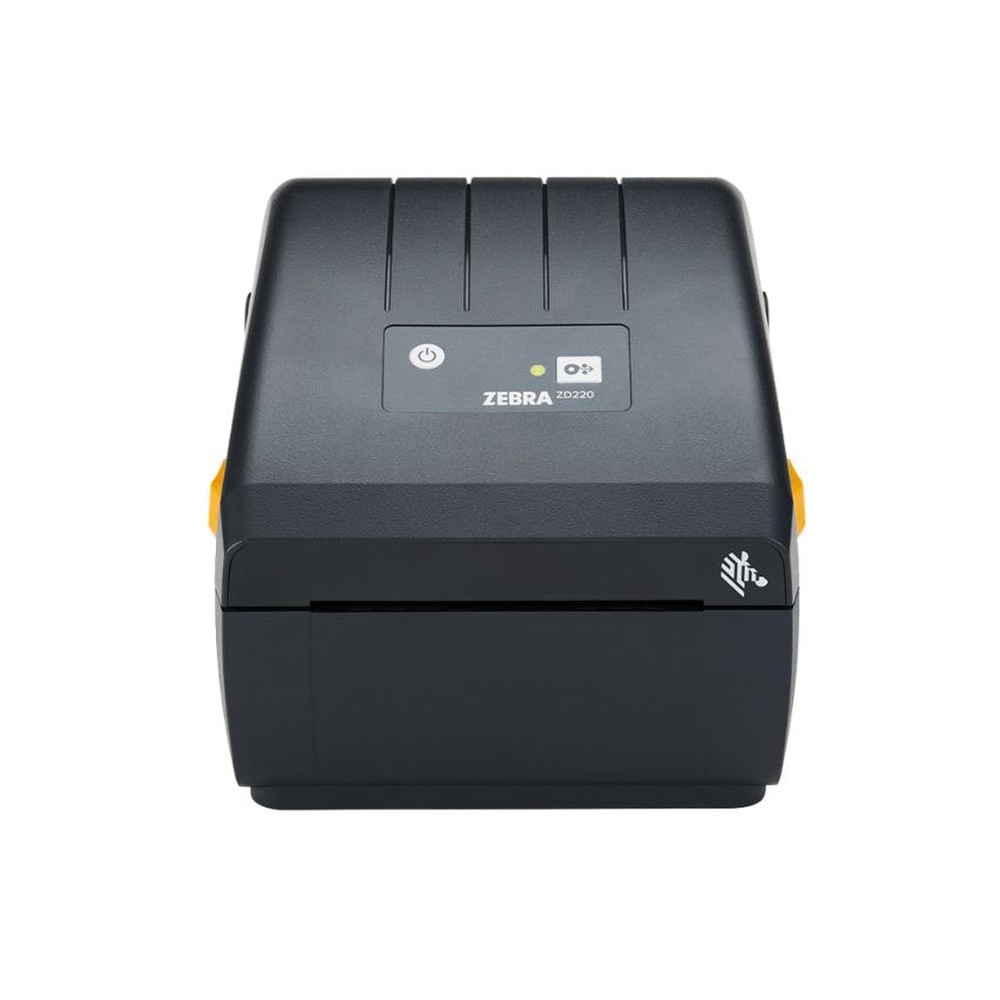
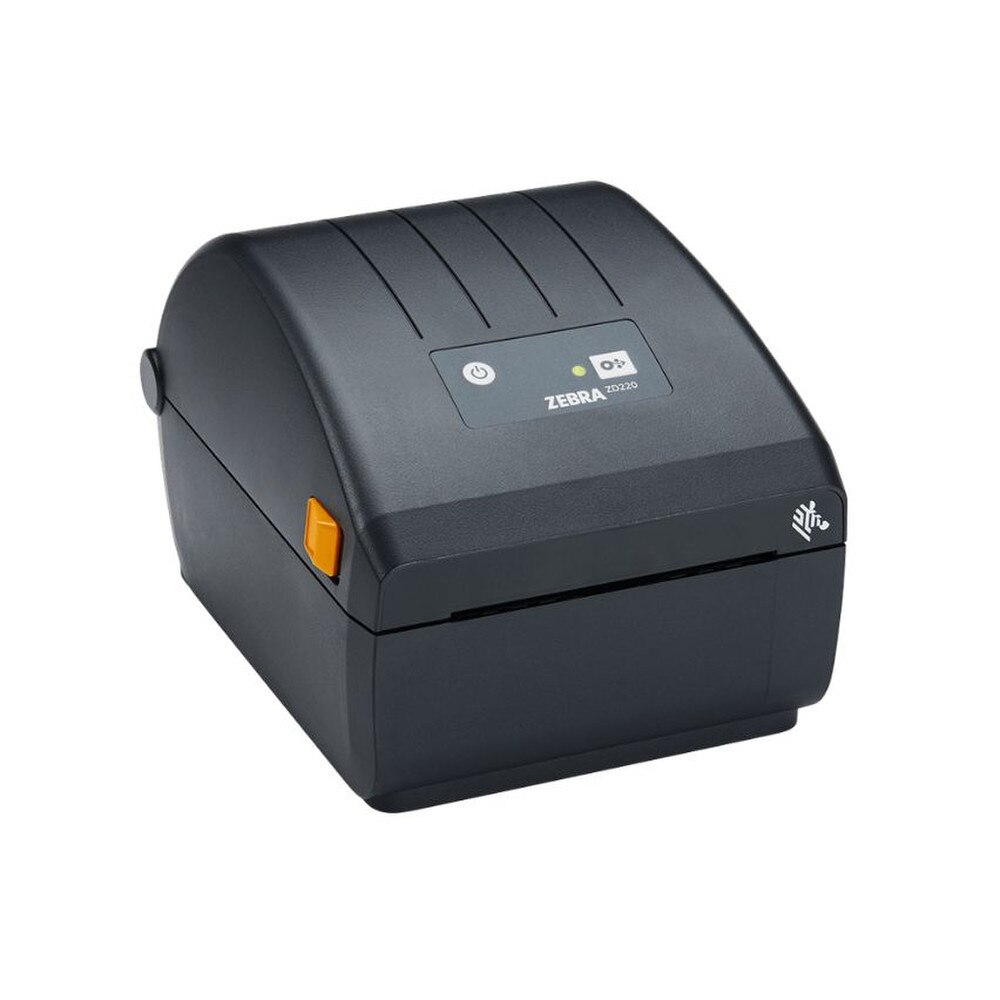

Zebra ZD220 203dpi Direct Thermal Desktop Label Printer (ZD22042-D0EG00EZ) | New
SKU: ZD22042-D0EG00EZ-N
 Same Day Shipping - Arrives in 3-5 Business Days
 /returns-icon.jpg) 30-day Returns
30-day Returns 
Have one to sell? Click here to sell to us
Same Day Shipping - Arrives in 3-5 Business Days 30-day Returns Have one to sell? Click here to sell to us
The Zebra ZD220 203dpi Direct Thermal Desktop Label Printer (ZD22042-D0EG00EZ) is a 4 inch entry-level label printer designed for companies that require dependable, simple shipping and barcode labels without the complexity or expense of enterprise equipment. It produces clear 203 dpi labels up to 4.09" wide at up to 4 inches per second using direct thermal technology, making it perfect for low-to-medium-volume shipping labels, inventory tags, retail pricing and basic barcode applications. While USB 2.0 connectivity guarantees plug-and-play interface with PCs, point-of-sale systems and numerous cloud-based platforms, the small, dual-wall desktop design with a single LED status indicator and a single button feed/pause keeps operations easy for frontline staff. With 128 MB of Flash and 128 MB of SDRAM (or more, depending on configuration), the ZD22042-D0EG00EZ has adequate internal storage to hold typefaces, logos and standard label formats, ensuring that repetitive tasks print reliably and rapidly. At busy service counters, Zebra's OpenACCESS clamshell design minimizes downtime by making direct thermal media loading quick and error-proof. With an auto-ranging 100-240 VAC power supply, ENERGY STAR certification, this ZD220 direct thermal desktop printer is an affordable alternative to generic or outdated desktop labelers.
• 203 dpi direct thermal print engine for sharp text, barcodes and graphics on heat‑sensitive labels and receipts—no ribbons, ink or toner required.
• 4" class desktop printer with maximum print width of 4.09" (104 mm), supporting a wide range of shipping, product and barcode label sizes.
• Print speed up to 4 ips (102 mm/s) to keep lines moving in retail checkout, packing stations or back‑office labeling workflows.
• Media support for rolls up to 5" (127 mm) OD, 1.0" to 4.4" (25.4–112 mm) wide, in die‑cut, continuous, tag or wristband formats (with or without black marks).
• Simple user interface with single LED status indicator and one feed/pause button for easy training and day‑to‑day use.
• USB 2.0 connectivity as standard for straightforward connection to Windows, macOS and many POS or WMS setups.
• 128 MB Flash and 128 MB SDRAM for storing label formats, fonts and graphics; supports ZPL II, EPL2, and XML for compatibility with existing Zebra workflows.
• Compact direct thermal housing at approximately 8.6" L × 6.9" W × 5.9" H (220 × 176 × 151 mm) and 2.5 lb (1.1 kg), ideal for tight counters.
• ENERGY STAR qualified, auto‑ranging 100–240 VAC power supply with 24 VDC output for efficient, global deployment.
🗹 Reduce consumable and maintenance costs with direct thermal printing—no ribbon management, fewer moving parts and less downtime compared to ribbon‑based printers.
🗹 Improve label legibility and barcode scan rates using 203 dpi resolution and up to 4 ips print speeds, so shipping labels, shelf tags and barcodes are clear and scannable.
🗹 Free up counter and bench space with a compact desktop footprint that fits next to POS terminals, scales or packing benches without crowding staff.
🗹 Shorten training time thanks to a single‑button, single‑LED interface and OpenACCESS media loading, enabling new team members to start printing labels in minutes.
🗹 Protect your investment with a rugged dual‑wall construction, ENERGY STAR‑qualified power efficiency and a two‑year warranty designed for commercial duty cycles.
🗹 Standardize on Zebra’s ZPL/EPL languages and Print DNA basic tools—ZebraDesigner Essentials and Setup Utilities—to integrate the ZD220 into existing Zebra environments with minimal scripting changes.
| Manufacturer | Yealink |
| Manufacturer Part Number | A40-031, 1206676 |
| Product Name | Yealink MeetingBar A40 with CTP25 Touch Console |
| Product type | Wireless Headset |
| Intended Room Size | Small to medium rooms |
| Operating System | Android 11/13 (platform dependent, latest bundles Android 13) |
| Supported Platforms | Native Microsoft Teams Rooms, Zoom Rooms, SIP/H.323, generic mode, USB device mode |
| Camera Type | Dual 48 MP cameras (AI-powered) |
| Resolution | Up to 4K Ultra HD video |
| Field of View | 120° diagonal (ultra‑wide), AI framing/composition |
| Camera Features | Auto Framing, Speaker Tracking, IntelliFocus, People Counting, Video Fence, Picture‑in‑Picture, Smart Gallery (Zoom) |
| Content Sharing | 4K content sharing up to 15 fps (wired/wireless depending on mode) |
| Microphones | 8 × MEMS microphone array built in |
| Pickup Range | Up to 6 m (19.7 ft) pickup, 4 m (13.1 ft) high‑quality pickup zone |
| Speakers | 2 × 10 W stereo speakers built in |
| Audio Processing | AI Audio 2.0, Noise Cancellation, Audio Fence, dereverberation, echo cancellation, full‑duplex |
| External Mic Support | Supports Yealink VCM35/VCM36, CS10, CM20 ceiling/table mics |
| Network | 1 × RJ45 Gigabit Ethernet (PoE not on A40, separate PSU) |
| HDMI | 2 × HDMI output (for dual displays) |
| USB | 1 × USB‑A, 1 × USB‑C, 1 × RJ45 VCH port for wired accessories |
| Audio I/O | 1 × 3.5 mm line‑in, 1 × 3.5 mm line‑out |
| Power Input | 48 V DC input (external power adapter included) |
| Wireless (via platform) | Wi‑Fi and Bluetooth supported when paired with wireless accessories (e.g., CTP25) |
| USB Device Mode | Yes, use A40 as USB audio/video device with a PC |
| Mounting Options | Wall mount, TV mount (brackets included/optional depending on kit) |
| Color | Gray/black collaboration bar finish |
| Display | 10.1" IPS touchscreen, 1280 × 800 resolution |
| Operating System | Android 13 |
| Touch Technology | Capacitive multi‑touch |
| Wireless | Wi‑Fi 6 (802.11a/b/g/n/ac/ax), Bluetooth 5.0 |
| Ethernet / PoE | 1 × RJ45 10/100/1000 Mbps with PoE power support |
| USB Ports | 1 × USB‑A, 2 × USB‑C |
| Content Sharing / BYOD | USB‑C supports 4K content sharing and BYOD connection to laptop; can provide up to 45 W charging when powered |
| Use Case | Room controller (Teams/Zoom), in‑room call control, calendar view, content sharing management |
| Form Factor | Tabletop touch console with adjustable viewing angle |
| Power Options | PoE via RJ45 or external power (model/region dependent) |
| Bundle Contents | MeetingBar A40 collaboration bar, CTP25 touch console, power supplies, cables, mounting hardware (exact contents per region) |
| Management | Yealink Device Management Platform / Yealink Management Cloud Service (DM/YCMS) support |
| Typical Applications | Microsoft Teams Rooms, Zoom Rooms, SIP/H.323 conference rooms in small–medium meeting spaces |
It uses direct thermal printing technology.
No, direct thermal printing does not require ink, toner, or ribbons.
It prints at 203 dpi.
It supports up to 4 inches wide.
Yes, ideal for shipping and barcode labels.
Via USB connection.
Yes, designed for small to mid-sized operations.
Yes, it prints scannable 1D and 2D barcodes.
Yes, compatible with Windows and common labeling software.
Yes, designed for desktop use.
Yes, features simple OpenACCESS™ loading.
Yes, built with Zebra’s durable construction.
It is ideal for moderate daily print volumes.
Yes, often used in medical and pharmacy environments.
No, direct thermal printing is monochrome.
Yes, widely used in logistics operations.
It requires compatible direct thermal label rolls.
No, setup is straightforward.
Yes, Zebra provides drivers and support.
Yes, offering strong value for essential labeling needs.