• Home
  • Yealink T31G Gigabit IP Phone with 2 Lines & HD Voice (SIP-T31G) | Like New
Yealink T31G Gigabit IP Phone with 2 Lines & HD Voice (SIP-T31G) | Like New

Yealink T31G Gigabit IP Phone with 2 Lines & HD Voice (SIP-T31G) | Like New

SKU: SIP-T31G-LN
(0)No Reviews yet

Individually boxed with handset, ethernet cable and curly cord

Same Day Shipping - Arrives in 3-5 Business Days
30-day Returns

All orders will ship on January 5, 2026


$41.99 $41.99
For immediate assistance call our support team at 973-808-4588. For additional information, send an email to website@telquestintl.com.

Overview

Overview of Yealink T31G Gigabit IP Phone with 2 Lines & HD Voice (SIP-T31G) | Like New

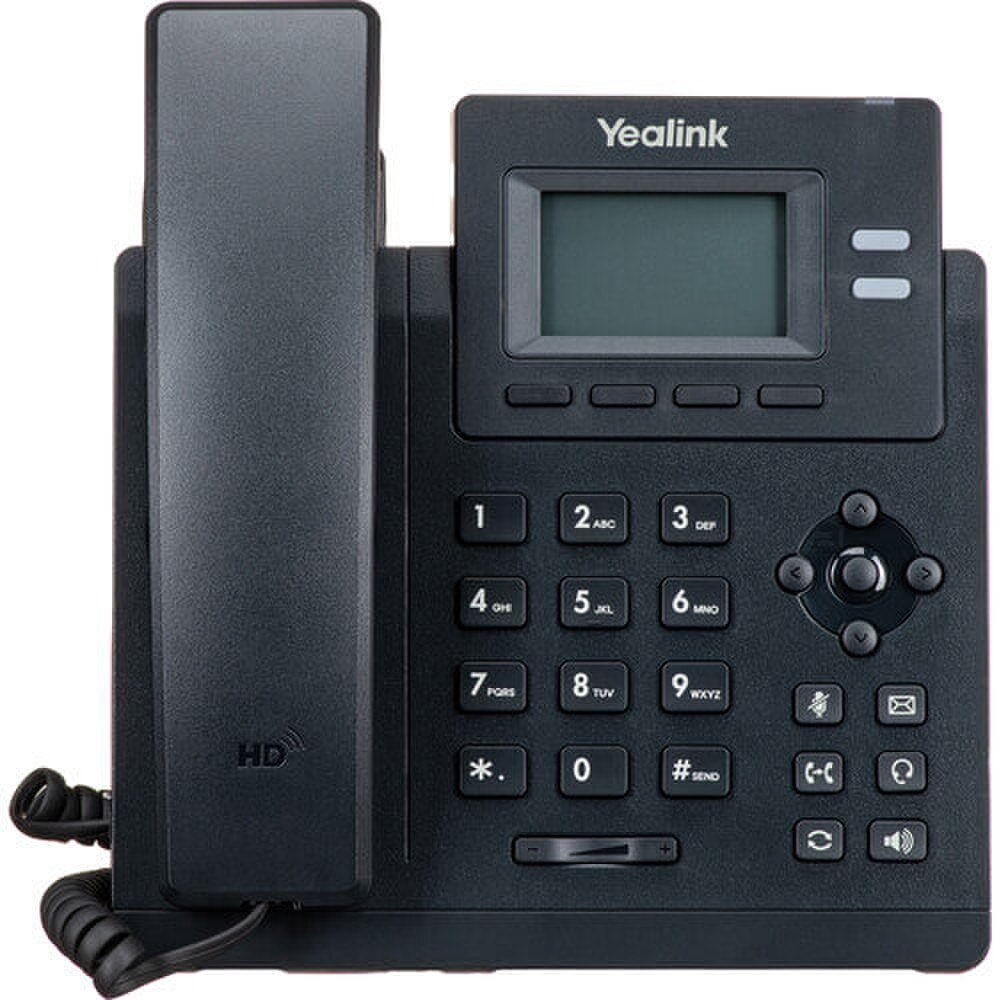
The Yealink T31G Gigabit IP Phone with 2 Lines & HD Voice (SIP-T31G) is a desktop VoIP phone with many features, aimed at providing small businesses, home offices and enterprise setups with professional-level communications. The T31G combines strong functionality with a budget-friendly price, featuring dual Gigabit Ethernet ports for fast connectivity, integrated Power over Ethernet (PoE) and support for two SIP accounts. This makes it perfect for users requiring dependable, high-quality voice communication and adaptable network integration. The T31G features an extra-large 2.3-inch graphical LCD (132x64 pixels) with a backlight, offering a clear and user-friendly interface for call and contact management. With local 5-way conferencing, an adjustable multi-angle stand, and wall-mountable design, the T31G adapts to various workspaces and collaboration needs. Yealink’s industry-leading HD Voice and Smart Noise Filtering technologies ensure every conversation is crisp and distraction-free, whether using the handset, full-duplex speakerphone or a compatible wired headset.


Key Features of Yealink T31G Gigabit IP Phone with 2 Lines & HD Voice


2.3" Backlit Graphical LCD with large, high-contrast display for easy navigation and call management.

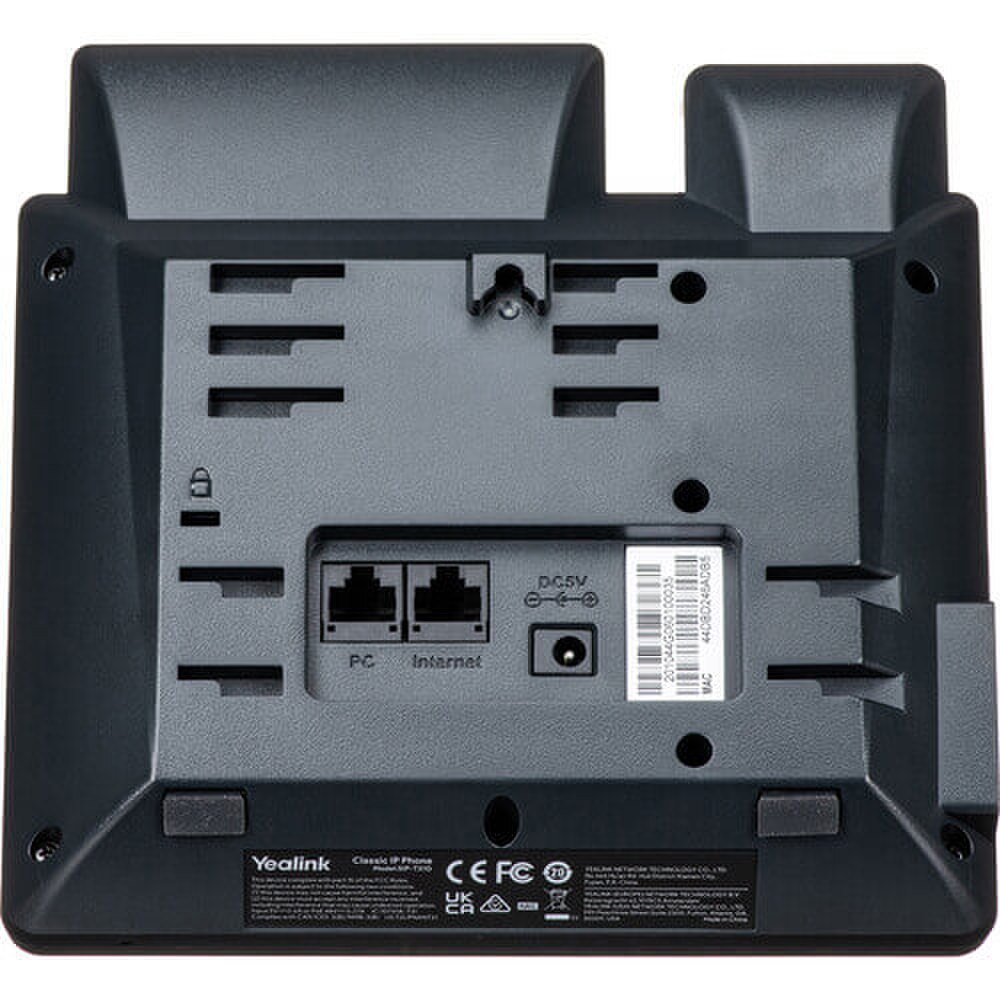
Dual Gigabit Ethernet Ports ensures fast, reliable network connectivity and supports PoE for simplified installation.

HD Voice & Smart Noise Filtering delivers superior audio clarity and reduces background noise for professional conversations.

Supports 2 SIP Accounts that manage two VoIP lines simultaneously, perfect for multitasking or shared workspaces.

Local 5-Way Conferencing enables efficient group collaboration directly from the phone.

Adjustable Multi-Angle Stand with ergonomic design adapts to various desk setups and user preferences.

Wall Mountable with flexible installation options to fit any office environment.

EHS Headset Support that is compatible with wireless headsets for hands-free operation.

Unified Firmware & Easy Management simplifies deployment, updates and maintenance with Yealink Device Management Platform.

Advanced Security that features TLS 1.3 encryption, SRTP, HTTPS, OpenVPN and more for secure communications.


Benefits of Yealink T31G Gigabit IP Phone with 2 Lines & HD Voice


🗹 Dual-line support, 5-way conferencing and intuitive controls streamline call handling and collaboration.

🗹 HD Voice and noise filtering ensure every conversation is clear, even in busy environments.

🗹 PoE, unified firmware and remote management tools reduce IT workload and simplify setup.

🗹 Adjustable stand and wall-mount options fit any workspace, while EHS support offers headset flexibility.

🗹 Advanced encryption and robust build quality protect your business communications and ensure long-term reliability.

🗹 Delivers enterprise-level features at an entry-level price, making it ideal for businesses of any size.

Specifications

Specifications for Yealink T31G Gigabit IP Phone with 2 Lines & HD Voice (SIP-T31G) | Like New

ManufacturerYealink
Manufacturer Part NumberSIP-T31G
Product NameYealink T31G Gigabit IP Phone with 2 Lines & HD Voice
Product TypeIP Phone
IP Address AssignmentDHCP, PPPoE, Static
IP Telephony Network Ports2 x Ethernet 10Base-T/100Base-TX
Network FeaturesLightweight Directory Access Protocol (LDAP), Network Address Translation (NAT)
Network ProtocolsDNS, HTTP, HTTPS, IP, Link Layer Discovery Protocol (LLDP), SNMP, SRTP, STUN, TFTP
Phone ConnectionsHandset jack / RJ-9, Headset jack / RJ-9
Backlit DisplayYes
Color SupportMonochrome
Display Diagonal Size2.3 inch
Display Diagonal Size5.8 centimetre
Display LocationBase
Display Resolution132 x 64 pixels
Display TypeLCD display
Indicators & ControlsVoice message waiting indicator
Multiple Conferencing5-way
Phone Directory Capacity1000 names & numbers
SpeakerphoneYes
Voice CodecG.711A/µ, G.722, G.723.1, G.726, G.729ab, iLBC
Additional FunctionsCall recording, Intercom
Call ServicesCall Forwarding, Call Hold, Call Transfer, Call Waiting, Caller ID, Message Waiting Capability, Voicemail
Dialer LocationBase
Lines Supported2 lines
Main FeaturesIntegrated Ethernet switch, Multiple VoIP protocol support
Packaged Quantity1
Placing/MountingTable-top, Wall-mountable
Power Over Ethernet (PoE) SupportYes
Product TypeVoIP phone
Quality of ServiceIEEE 802.1p, IEEE 802.1Q (VLAN)
SecurityTLS
VoIPYes
VoIP ProtocolsSIP, SIP v2, SRTP
Volume ControlYes
CablesEthernet cable
Phone Accessories IncludedStand
Base Depth7.4 inch
Base Height6.4 inch
Base Width7.4 inch
ColorClassic gray
Color CategoryGray
ENERGY STAR CertifiedNo

User Guides

Frequently Asked Questions

Yealink T31G Gigabit IP Phone with 2 Lines & HD Voice (SIP-T31G)
Frequently Asked Questions (FAQ's)


How do I set up the Yealink T31G IP phone?
  • Connect the handset, plug in the Ethernet cable to a PoE-enabled switch or use the optional power adapter, and follow the on-screen prompts.
  • Does the T31G support Power over Ethernet (PoE)?
  • Yes, it supports PoE, allowing both power and data over a single Ethernet cable.
  • How can I configure SIP accounts on the T31G?
  • Access the web interface by entering the phone's IP address in a browser, log in, and navigate to the account settings to configure SIP details.
  • Can I use a headset with the T31G?
  • Yes, it supports RJ9 wired headsets and wireless headsets via the EHS40 adapter.
  • How do I update the firmware on my T31G?
  • Download the latest firmware from Yealink's official website and update via the phone's web interface.
  • What is the default login for the web interface?
  • Username: admin; Password: admin. It's recommended to change these after initial setup.
  • How can I reset the T31G to factory settings?
  • Press and hold the 'OK' button until prompted to reset, then confirm.
  • Does the T31G support call forwarding?
  • Yes, it supports various call forwarding options, configurable via the phone menu or web interface.
  • Can I use the T31G with a VoIP service provider?
  • Yes, it's compatible with most SIP-based VoIP services.
  • How do I access voicemail on the T31G?
  • Press the 'Message' key and follow the voice prompts to access voicemail.​
  • Is the T31G compatible with 3CX?
  • Yes, the T31G is supported by 3CX, but the regular T31 model is not.
  • How do I transfer a call on the T31G?
  • During a call, press the 'Tran' soft key, dial the number, and press 'Tran' again to complete the transfer.​
  • What display does the T31G have?
  • It features a 2.3-inch 132x64-pixel graphical LCD with backlight.
  • How many SIP accounts can the T31G handle?
  • It supports up to two SIP accounts simultaneously.
  • Does the T31G have Gigabit Ethernet ports?
  • Yes, it has dual-port Gigabit Ethernet for high-speed connectivity.
  • Can I mount the T31G on a wall?
  • Yes, it supports wall mounting with an optional bracket.
  • How do I adjust the volume on the T31G?
  • Use the volume keys during a call or when idle to adjust ringer, handset, headset or speaker volume.
  • What audio codecs does the T31G support?
  • It supports Opus, G.722, G.711(A/μ), G.723.1, G.729AB, G.726 and iLBC codecs.​
  • Is there a user guide available for the T31G?
  • Yes, a comprehensive user guide is available on Yealink's support website.
  • How do I check the IP address of the T31G?
  • Press the 'OK' button on the phone to display the IP address.
  • Ratings & Reviews

    No reviews available

    Be the first to Write a Review