What is the Yealink RoomPanel used for?
The Yealink RoomPanel is designed for meeting room scheduling, allowing users to reserve and manage conference rooms efficiently. Does the Yealink RoomPanel integrate with popular calendar platforms?
Yes, the RoomPanel integrates with platforms like Microsoft Exchange, Office 365, and Google Calendar for seamless scheduling. What is the screen size of the Yealink RoomPanel?
The Yealink RoomPanel features an 8-inch touchscreen display, offering a user-friendly interface for scheduling. Can the Yealink RoomPanel be mounted on walls?
Yes, it is designed to be wall-mounted and includes all necessary hardware for secure installation. Does the Yealink RoomPanel support POE (Power over Ethernet)?
Yes, the RoomPanel supports POE, simplifying installation by providing both power and data connectivity through a single cable. What connectivity options does the Yealink RoomPanel offer?
The RoomPanel supports Ethernet, Wi-Fi, and Bluetooth connectivity for flexible installation and integration. Can the Yealink RoomPanel display meeting room availability?
Yes, the RoomPanel uses LED indicators and on-screen notifications to show whether a room is available or occupied. Is the Yealink RoomPanel compatible with Microsoft Teams?
Yes, it integrates with Microsoft Teams for scheduling and room management in Microsoft environments. What type of touch technology does the Yealink RoomPanel use?
The RoomPanel features a capacitive touch screen for smooth and responsive user interaction. Does the Yealink RoomPanel support contactless check-ins?
Yes, it supports RFID and NFC technology for easy and contactless check-ins. Can the Yealink RoomPanel manage multiple rooms?
While each RoomPanel is typically installed for one room, it integrates into a broader system to help manage multiple rooms effectively. Does the Yealink RoomPanel have a customizable interface?
Yes, the interface can be customized to match branding or specific user preferences. What operating system does the Yealink RoomPanel run on?
The RoomPanel operates on Android, providing a stable and versatile environment for applications. Is the Yealink RoomPanel easy to install?
Yes, it includes clear instructions and mounting hardware, making installation straightforward for users or IT teams. Can the Yealink RoomPanel display custom messages?
Yes, administrators can configure it to show custom messages, alerts, or instructions on the screen. Does the Yealink RoomPanel support remote management?
Yes, it can be managed remotely via a central system, making it easy to update settings or monitor usage. What security features does the Yealink RoomPanel offer?
The RoomPanel includes features like encrypted communication and secure access to protect user data and privacy. Is the Yealink RoomPanel compatible with hybrid work environments?
Yes, its integration with various calendar systems and touchless features makes it ideal for hybrid work setups. Can the Yealink RoomPanel be used in different languages?
Yes, it supports multiple languages, making it suitable for international deployments. What is the power consumption of the Yealink RoomPanel?
The RoomPanel is energy-efficient, and its POE functionality further optimizes power usage during operation.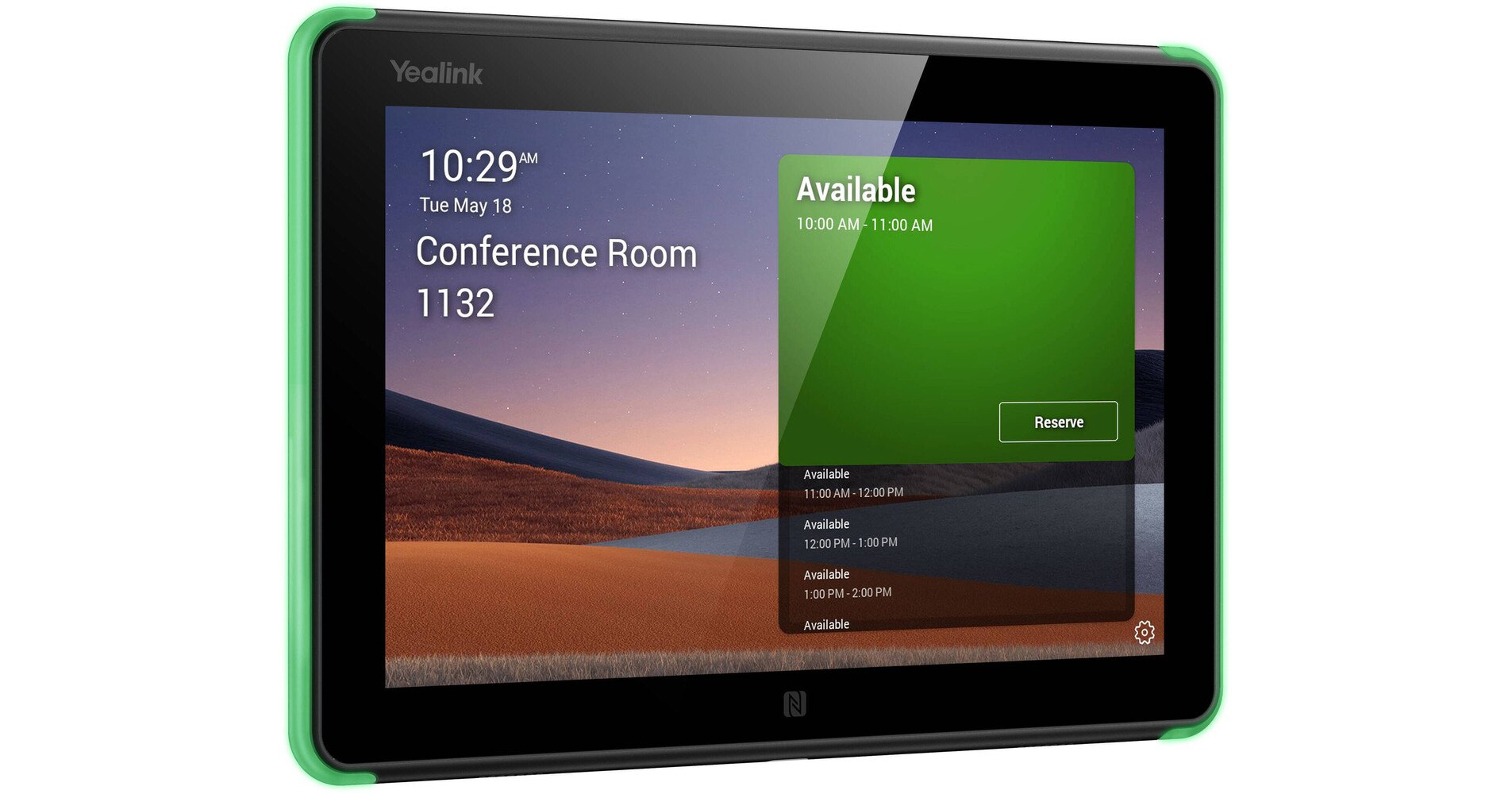


 Same Day Shipping - Arrives in 3-5 Business Days
 /returns-icon.jpg) 30-day Returns
30-day Returns 