What phones are compatible with the Yealink EXP43?
The EXP43 works with Yealink T43U, T46U, and T48U IP phones. How many programmable keys does the EXP43 have?
The EXP43 contains 20 physical keys across three pages, for a total of 60 programmable keys. What functions can the keys on the EXP43 be programmed for?
The keys can be programmed for functions such as Busy Lamp Field (BLF), Speed Dial, Call Forward, Call Park, and others. Does the EXP43 have a color display?
Yes, it has a 4.3-inch color LCD display for convenient navigation and viewing. Can the EXP43 be used without an IP phone?
No, the EXP43 is an attachment that requires a compatible Yealink IP phone to function. Is there a backlight for the display on the EXP43?
Yes, the color display is backlit to better viewing under different lighting conditions. How do I connect the EXP43 to my Yealink phone?
The EXP43 connects to compatible Yealink phones via a dedicated EXT connection on the back, and many modules can be daisy-chained. Does the EXP43 need a separate power supply?
Typically, the module is powered by the phone it is connected to, but additional modules may require an extra power supply. Can I customize the display screen on the EXP43?
Yes, you can customize the display screen by organizing contacts, functions, and icons according to your preferences. Does the EXP43 support firmware updates?
Yes, firmware upgrades can be made while connected to a compatible Yealink phone to ensure peak performance. What are the main uses for the EXP43 module?
The EXP43 is excellent for high-volume call situations, such as receptionist desks, where quick access to contacts and call handling capabilities are critical. How do I switch between pages on the EXP43?
You can navigate between pages using the module's page navigation buttons, which cycle through 20 keys on each page. What is the Busy Lamp Field (BLF) feature?
BLF is a feature that displays the call status of lines in your organization, indicating who is available, busy, or on a call. Is the EXP43 module easy to install?
Yes, it is plug-and-play with compatible Yealink phones and can be rapidly configured via phone settings. Can I use the EXP43 for call transfers and forwarding?
Yes, the EXP43's programmable keys enable you to configure direct call transfer, forwarding, and other call management features. Can the EXP43 module be used with other IP phone brands?
No, the EXP43 was built exclusively for use with Yealink IP phones. What happens if I connect more than one EXP43 module?
Connecting several EXP43 modules increases the amount of programmable keys, making it easier to manage larger numbers of contacts and functions. Is there a specific setup for receptionists using the EXP43?
Receptionists frequently create keys for common contacts, departments, and frequently used services such as transferring or holding calls to optimize their productivity. How does the EXP43 enhance productivity?
The EXP43 improves call management by giving users easy access to contacts, call statuses, and programmable functions. How many EXP43 modules can be connected to one phone?
Up to three EXP43 modules can be daisy-chained to a single Yealink phone to increase capacity. 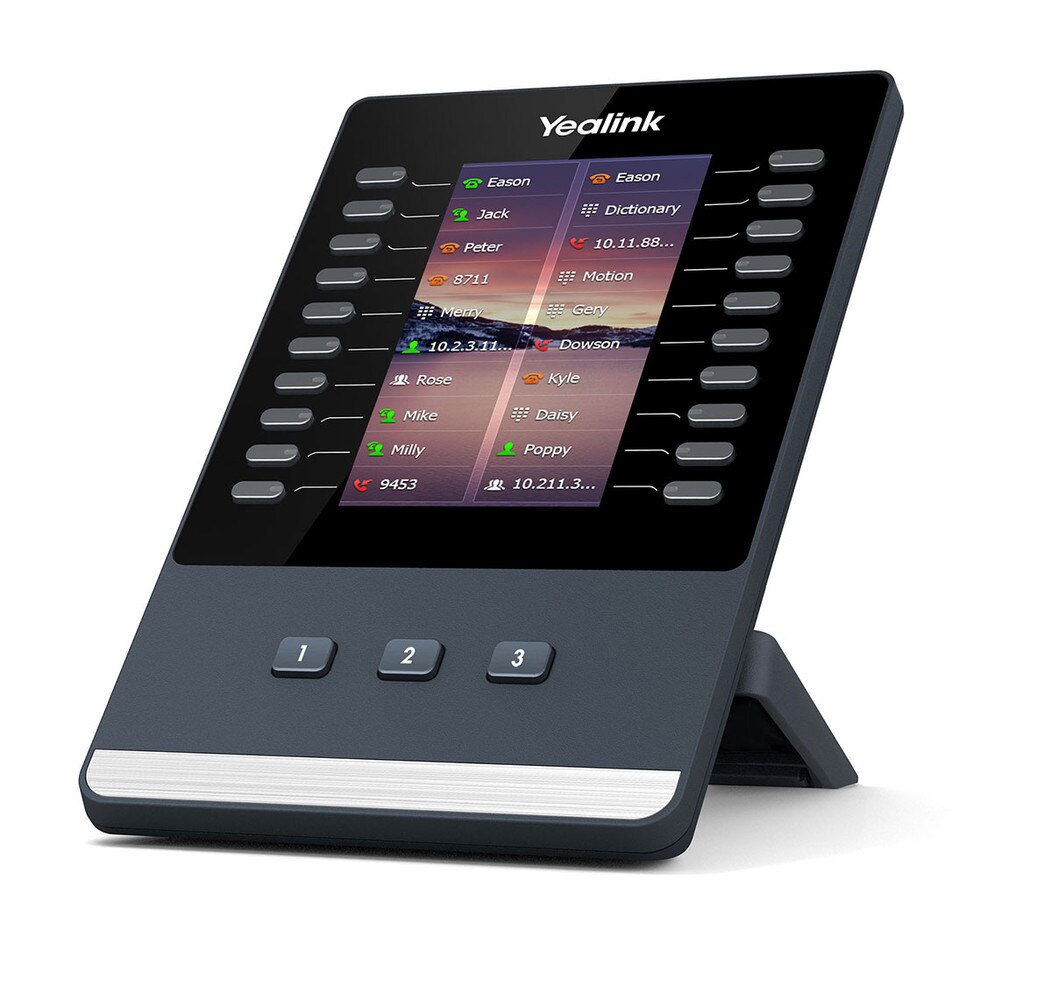
 Same Day Shipping - Arrives in 3-5 Business Days
 /returns-icon.jpg) 30-day Returns
30-day Returns 