• Home
  • Yealink EHS40 Wireless Headset Adapter | New
Yealink EHS40 Wireless Headset Adapter | New

Yealink EHS40 Wireless Headset Adapter | New

SKU: EHS40-N

(0)No Reviews yet

Same Day Shipping - Arrives in 3-5 Business Days
30-day Returns

In Stock

$53.99 $53.99
For immediate assistance call our support team at 973-808-4588. For additional information, send an email to website@telquestintl.com.

Overview

Overview of Yealink EHS40 Wireless Headset Adapter | New


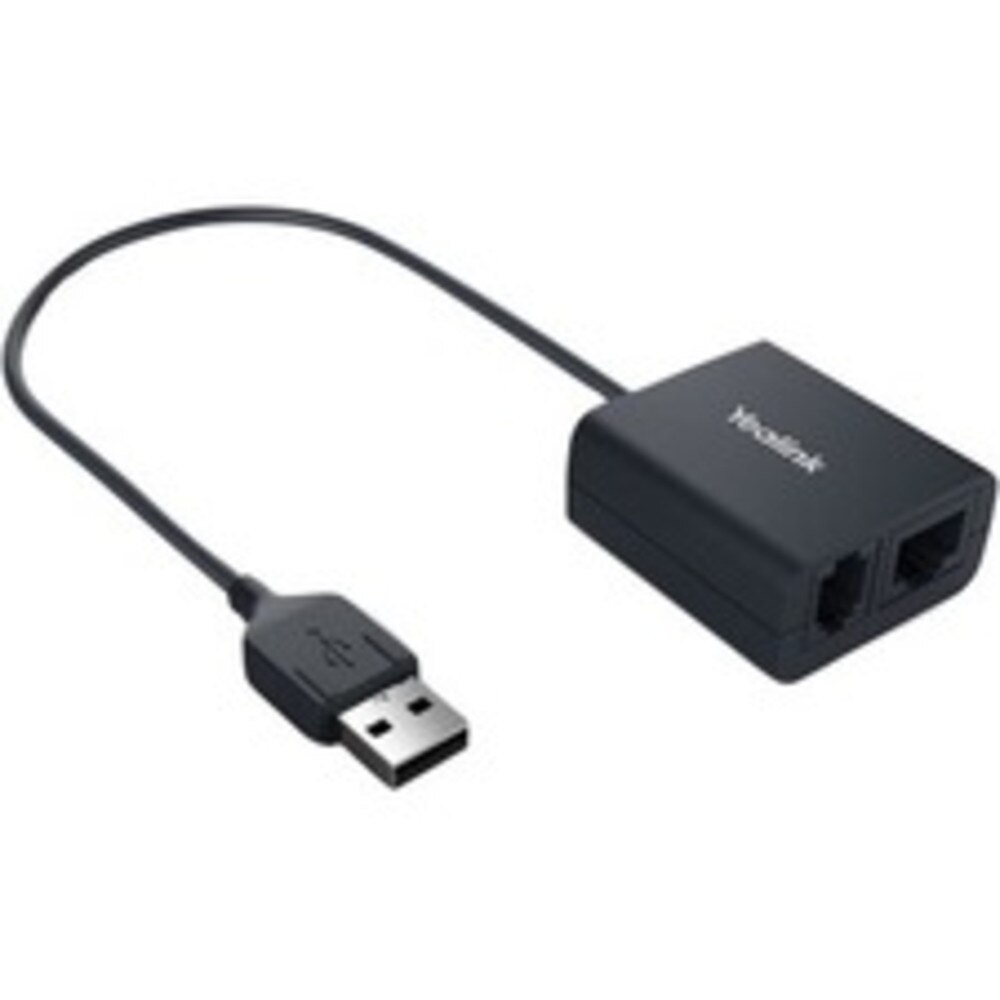
The Yealink EHS40 is an electronic hook switch (EHS) adapter that bridges Yealink IP phones and major wireless headset brands (Jabra, Plantronics, Sennheiser). It enables users to answer, end, and control calls from their wireless headset, making it ideal for offices, call centers, and environments that require increased worker mobility and efficiency.


Yealink EHS40 Wireless Headset Adapter Features:

  • Compatible with Jabra, Plantronics, and Sennheiser wireless headsets
  • Supports remote call answer and hang-up directly from the headset
  • Plug-and-play installation via USB port on supported Yealink IP phones
  • Incoming calls are signaled in the headset earpiece
  • Designed for business productivity in corporate, educational, healthcare, and SME environments

Best Uses for Yealink EHS40 Wireless Headset Adapter:

  • Reception areas and front desks that require mobility
  • Call centers where hands-free, remote call control boosts efficiency
  • Office environments needing professional wireless headset integration for seamless telephony experience

The Yealink EHS40 Wireless Headset Adapter is a plug-and-play solution designed to connect specific Yealink IP phones to wireless headsets, enabling remote call control and seamless hands-free operation.

Specifications

Specifications for Yealink EHS40 Wireless Headset Adapter | New


Manufacturer Yealink
Manufacturer Part Number EHS40
Product Name Yealink EHS40 Wireless Headset Adapter
Product Type Headset Adapter
Supported Phones VP59, T58W, T58A, T57W, T54W, T53W, T53, T42U, T43U, T46U, T48U, T44U, T44W, T48S, T46S, T42S, T41S (Firmware v83 or later)
Supported Headsets Jabra, Plantronics, Sennheiser Wireless Models
Interface 1 x USB 2.0 (to phone), 1 x RJ45 (8P8C)/1 x RJ9 (4P4C) (to headset base)
Call Control Remote answer/hang-up via headset, ring indication in headset earpiece
Installation Plug-and-play, no extra software required
Package Contents EHS40 unit, Jabra Y-Cord, Plantronics Y-Cord, Sennheiser Y-Cord, User Guide
Giftbox Size 141 mm x 102 mm x 46 mm
Carton Size 430 mm x 243 mm x 297 mm (40 pcs/carton)
Net/Gross Weight/carton 6.16 kg / 6.75 kg

User Guides

Frequently Asked Questions

Yealink EHS40 Wireless Headset Adapter
Frequently Asked Questions (FAQ's)


What is the Yealink EHS40 Wireless Headset Adapter?
  • With the help of the Yealink EHS40 adapter, Yealink desk phones and compatible wireless headsets from companies like Jabra, Plantronics (Poly), and Sennheiser (EPOS) can connect seamlessly.
  • Which Yealink phones are compatible with the EHS40?
  • It supports Yealink T5 series (T53, T53W, T54W, T57W, T58A, T58V, VP59) and some SIP-T4U series models (T41U, T43U, T46U, T48U).
  • Which headset brands are supported by the EHS40?
  • Compatible with Sennheiser (EPOS), Plantronics (Poly), and Jabra wireless headsets.
  • Does the EHS40 require any additional power supply?
  • No, it is powered directly through the USB connection to the Yealink phone.
  • How does the EHS40 connect to the phone?
  • It connects via the USB port on the compatible Yealink desk phone.
  • What features does the EHS40 enable with headsets?
  • It allows the wireless headset to be used for muting, volume control, call hang-up, and remote call answering.
  • Does the EHS40 require software installation?
  • No, it is a plug-and-play device with no need for drivers or additional software.
  • Is the EHS40 compatible with all wireless headsets?
  • No, it only functions with specific authorized headsets made by Sennheiser (EPOS), Plantronics, and Jabra.
  • How do I know if my headset is compatible with the EHS40?
  • For EHS40 support, check the official Yealink compatibility list or the website of the headset's manufacturer.
  • Can the EHS40 be used with multiple phones simultaneously?
  • No, it can only be connected to one Yealink desk phone at a time.
  • Does the EHS40 work with Yealink DECT phones?
  • No, it is designed for use with supported desk phone models only.
  • Can I use the EHS40 with a PC or laptop?
  • No, it is made especially to work with Yealink desk phones that are compatible.
  • What is the difference between the EHS36 and EHS40?
  • The EHS40 is the upgraded USB-based adapter for more recent Yealink phones, whereas the EHS36 was made for previous Yealink phone models and used RJ ports.
  • Do I need to update my phone’s firmware to use the EHS40?
  • Yes, in certain situations, proper compatibility may require the most recent phone firmware.
  • Does the EHS40 support answering Microsoft Teams calls?
  • Yes, it supports Teams call features when paired with Yealink Teams edition phones and compatible headsets.
  • How long is the included EHS40 cable?
  • The cable length is approximately 0.5 meters, designed for desk use.
  • Can I control volume and mute directly from the headset when using the EHS40?
  • Yes, the adaptor enables the wireless headset to handle call features like muting and volume.
  • Is the EHS40 hot-swappable?
  • Yes, it can be plugged or unplugged without restarting the phone.
  • Where can I purchase the Yealink EHS40?
  • It is available for purchase from major e-commerce platforms, online resellers, and authorized distributors of Yealink.
  • Why isn’t my headset answering calls when connected via EHS40?
  • Verify that the firmware on your phone is current, see if your headset is compatible, and make sure the headset base is connected correctly.
  • Ratings & Reviews

    No reviews available

    Be the first to Write a Review
