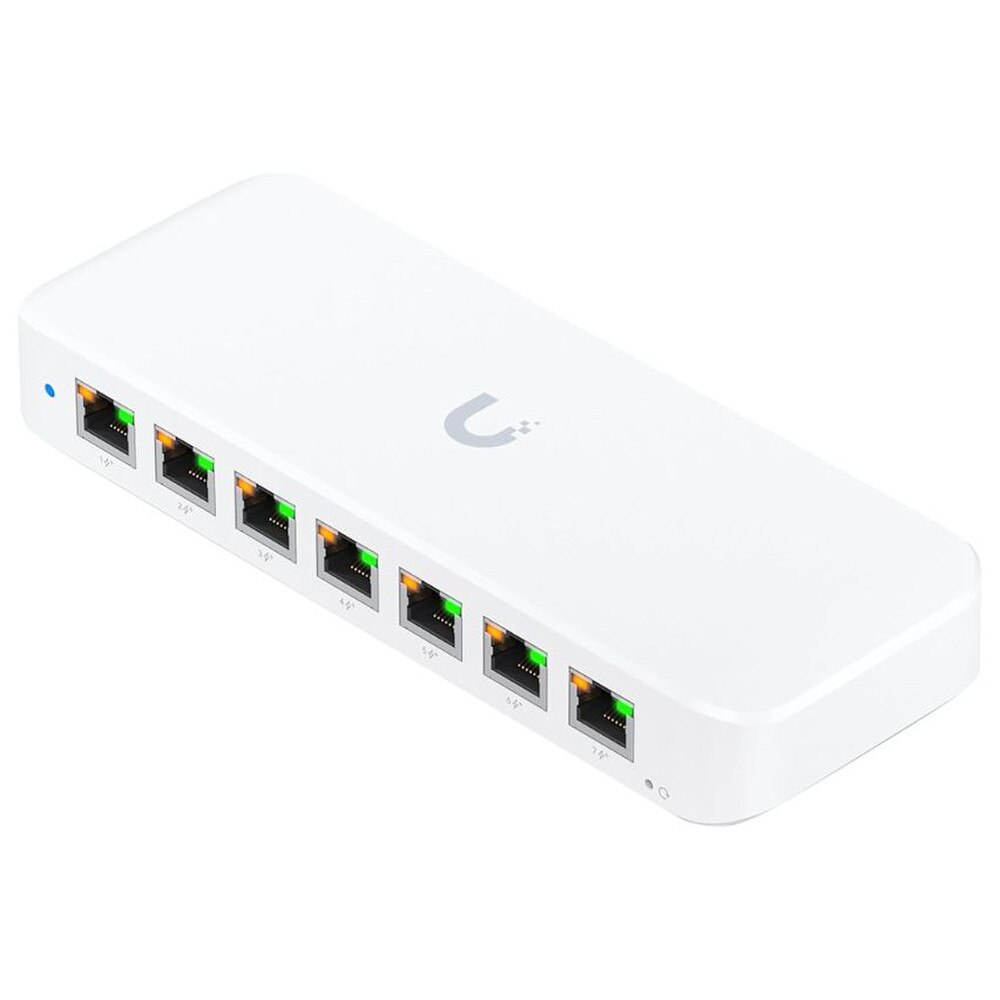


Ubiquiti UniFi Switch Ultra 8-Port Gigabit PoE+ Managed Network Switch (USW-ULTRA) | Like New
SKU: USW-ULTRA-LN
 Same Day Shipping - Arrives in 3-5 Business Days
 /returns-icon.jpg) 30-day Returns
30-day Returns 
Have one to sell? Click here to sell to us
Same Day Shipping - Arrives in 3-5 Business Days 30-day Returns Have one to sell? Click here to sell to us
The Ubiquiti UniFi Switch Ultra 8-Port Gigabit PoE+ Managed Network Switch (USW-ULTRA) provides scalable power and strong performance to home networks, smart offices and contemporary businesses. It simplifies network deployment for VoIP phones, IP cameras and access points by streamlining power management and cabling due to its eight Gigabit Ethernet ports, seven of which enable PoE+ and one PoE++ input. The USW-ULTRA ensures flexible operation for power-hungry applications by supporting up to 202W PoE power with an optional high-capacity adapter. This switch is optimized for dependability, security and smooth scalability in dynamic network environments. It has an easy-to-use UniFi Controller integration, a silent fanless design, Layer 2 management, sophisticated VLAN capabilities and a variety of mounting options.
• 8 Gigabit Ethernet Ports with seven PoE+ output ports, one PoE++ input for power flexibility.
• High-Power PoE Support with up to 202W PoE budget with HE AC adapter, 52W with standard adapter, 42W with PoE++ input.
• Layer 2 Management with VLAN tagging, port isolation, storm control, port mirroring, jumbo frames and multicast rate limiting.
• Fanless Silent Operation operates quietly with no moving parts, ideal for noise-sensitive or open office setups.
• Total Switching Capacity with 16Gbps with 8Gbps non-blocking throughput and 12 Mpps forwarding rate.
• UniFi Controller Integration with centralized cloud-managed configuration, network monitoring and upgrades.
• Compact Form Factor with desktop, wall and magnetic mounting options for versatile installations.
• Reliable Security with MAC address blocking, 802.1X authentication, network segmentation for safer connectivity.
• Industry Certification with CE, FCC and IC compliant for global deployments.
🗹 Effortless Deployment that PoE+ ports eliminate power adapters for devices, simplifying installation and minimizing cable clutter.
🗹 Scalable Power supports access points, cameras and phones with maximum PoE budget for growing networks.
🗹 Smart, Centralized Management that intuitive UniFi Controller lets users configure, monitor and optimize network health from anywhere.
🗹 Silent and Versatile that fanless design, compact build, and flexible mounting enhance deployment in offices, homes and commercial spaces.
🗹 Robust Security & Performance that Layer 2+ features and 16Gbps switching keep business and critical networks reliable and secure.
| Manufacturer | Ubiquiti |
| Manufacturer Part Number | USW-ULTRA |
| Product Name | Ubiquiti UniFi Switch Ultra 8-Port Gigabit PoE+ Managed Network Switch |
| Product Type | Switch |
| Ports | 8 × 1 GbE RJ45 (7 × PoE+ output ports, 1 × PoE++ input port) |
| PoE Power Budget | 42W with PoE++ input |
| 16W with PoE+ input | |
| 42W with 60W PoE adapter input | |
| 52W with 60W AC adapter input | |
| 202W with 210W AC adapter input (at 45º C) | |
| Switching Capacity | 16 Gbps |
| Non-blocking Throughput | 8 Gbps |
| Forwarding Rate | 12 Mpps |
| Layer 2 Features | VLANs (up to 256), STP/RSTP, port isolation, storm control, port mirroring, jumbo frames, loop protection, egress rate limiting, multicast & broadcast rate limiting, flow control |
| MAC Address Table Size | 4,000 entries |
| Management Interface | Ethernet in-band via UniFi Network Controller (v8.0.28+ recommended) |
| Power Method | PoE++ (44–57V DC) or external AC adapter |
| Power Consumption | 8–9W (excl. PoE load) |
| Dimensions | 203 x 76 x 33 mm (8 x 3 x 1.3 inches) |
| Weight | Device: 320 g (11.3 oz), Wall mount: 45 g (1.6 oz) |
| Enclosure Material | Polycarbonate |
| Operating Temperature | -30 °C to +60 °C (PoE++ input), -20 °C to +45 °C (60W adapter), -20 °C to +60 °C (210W adapter) |
| Humidity | 10 - 90% non-condensing |
| Certifications | CE, FCC, IC, NDAA compliant |
| Mounting Options | Desktop, wall, magnetic |
| Security Features | 802.1X authentication, MAC address blocking, network segmentation |
The “Ultra” line reflects higher-end capabilities within the UniFi switch portfolio—such as higher PoE budgets, compact mounting options, and full Layer 2 feature support. It’s designed for deployments requiring both performance and flexibility.
The switch provides seven Gigabit RJ-45 ports supporting PoE+ (802.3at) output up to 30W per port. One additional RJ-45 port supports PoE++ input (802.3bt or higher) or AC power input.
The total PoE budget depends on the power source. With a 210W AC adapter, the switch can provide approximately 202W of PoE power. Using PoE++ input alone provides a lower total power budget.
Yes, it supports Layer 2 managed networking features including STP/RSTP, VLANs, port mirroring, storm control, jumbo frames, and traffic management capabilities.
Yes, especially for advanced home networks powering access points, cameras, or VoIP devices while benefiting from centralized UniFi management.
It supports desktop placement, wall mounting, and magnetic mounting depending on the installation setup.
The switch measures approximately 203 × 76 × 33 mm (8 × 3 × 1.3 inches) and weighs about 320 g (11.3 oz).
Yes, it supports PoE++ input as an alternative to AC power for flexible deployment options.
The switch is fanless, enabling completely silent operation suitable for offices and quiet environments.
Yes, it supports up to 256 VLANs along with advanced Layer 2 traffic segmentation features.
It can power PoE and PoE+ compatible devices such as UniFi access points, IP cameras, VoIP phones, and IoT devices.
It is a fully managed Layer 2 switch integrated into the UniFi management platform for centralized monitoring and configuration.
The switch may prioritize power allocation, disable lower-priority PoE ports, or limit power delivery if the total PoE budget is exceeded.
Yes, it can be installed in compact racks or enclosures, though it is primarily designed for desktop and wall-mounted deployments.
No, this model is a Gigabit switch and does not provide 10G connectivity. Higher-tier UniFi models are recommended for 10Gb networking requirements.
Yes, the UniFi management interface provides per-port PoE usage, device status, and traffic monitoring.
Yes, firmware updates are managed through the UniFi controller platform.
Yes, the UniFi Switch Lite 8 PoE may be suitable for smaller deployments with lower PoE requirements, while the Ultra offers greater flexibility and higher PoE capacity.
Yes, it can continue passing network traffic once configured, but the UniFi Controller is strongly recommended for configuration, monitoring, and firmware management.
Verify your available power source and PoE budget, ensure proper ventilation, plan cable runs and connected device power requirements, and use the UniFi Controller for setup and monitoring.