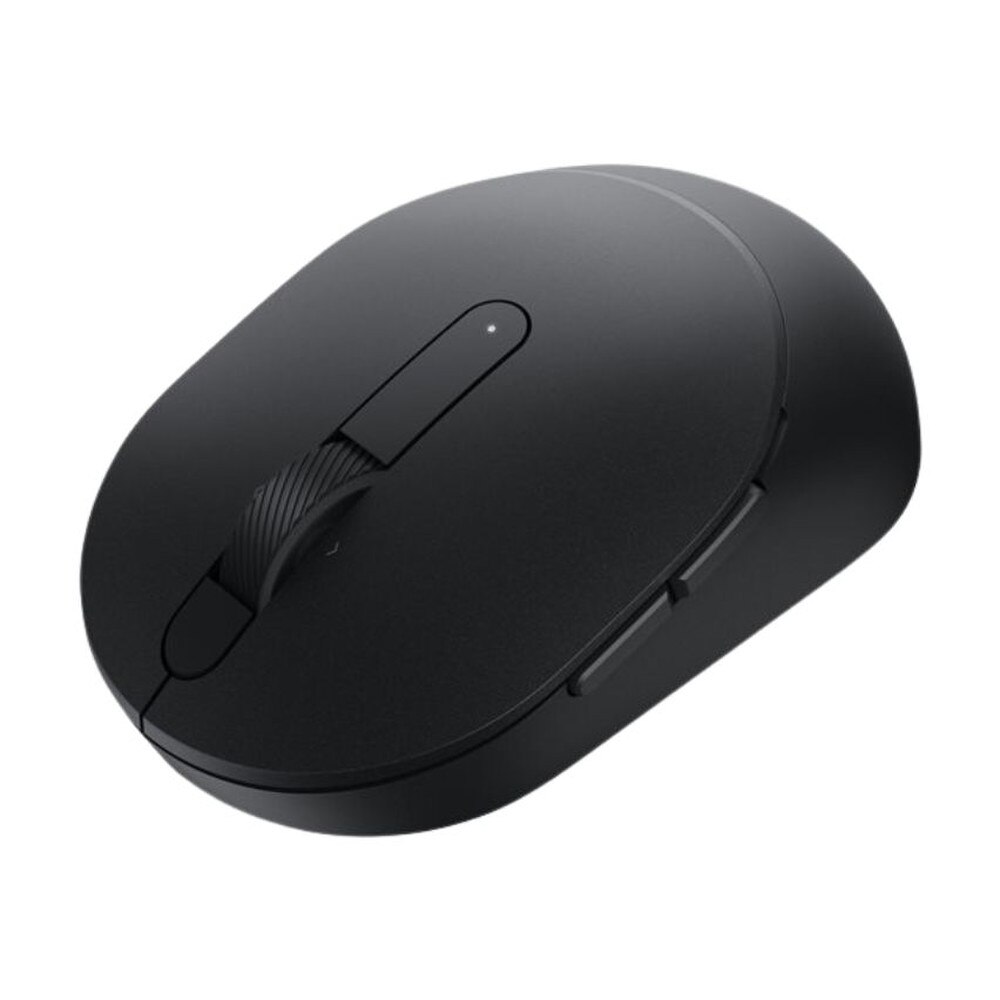


Dell Mobile Pro Wireless Mouse - Black (MS5120W-BLK) | Like New
SKU: MS5120W-BLK-LN
 Same Day Shipping - Arrives in 3-5 Business Days
 /returns-icon.jpg) 30-day Returns
30-day Returns 
Have one to sell? Click here to sell to us
Same Day Shipping - Arrives in 3-5 Business Days 30-day Returns Have one to sell? Click here to sell to us
The Dell Mobile Pro Wireless Mouse - Black (MS5120W-BLK) blends comfort, performance and flexibility for professionals who are constantly on the go. Its dual-mode wireless connectivity—Bluetooth 5.0 and a 2.4GHz USB receiver—allows it to couple with a variety of devices, including Windows, macOS, Chrome OS, Linux and Android. With its high-precision optical sensor and variable DPI (1000/1600/2400/4000), the mouse allows users to alternate between quick navigation and fluid cursor control. It is designed for all-day productivity and customized workplaces with an ergonomic, lightweight design (only 73.7g), an extended 36-month power life on a single AA battery and five customizable buttons. This mouse is a dependable, portable partner for any commercial or hybrid work setting due to its sophisticated software integration, which offers simple shortcut customization and battery status warnings.
• Dual Wireless Modes with Bluetooth 5.0 and 2.4GHz USB receiver for multi-device versatility.
• Extended Battery Life that lasts up to 36 months with a single AA battery, reducing downtime and maintenance.
• Adjustable High-Precision Sensor with DPI settings of 1000, 1600, 2400 or 4000 enable tailored performance for any task.
• Ergonomic & Lightweight Design with only 73.7g for effortless portability, comfortable grip and fatigue-free use.
• Five Programmable Buttons with personalize shortcuts for enhanced navigation and productivity.
• Universal OS Compatibility works across Windows, macOS, Chrome OS, Linux and Android.
• Advanced Software Support with Dell Display and Peripheral Manager for button customization, DPI tweaking and battery alerts.
• Advanced Exchange Service ensures hassle-free support and fast replacements.
• Color with classic matte black, modern aesthetic for professional setup.
🗹 Work Smarter Everywhere that reliable wireless connections and multi-device pairing empower hybrid and remote professionals.
🗹 Personalized Productivity that adjustable DPI and customizable buttons let you optimize workflow for every application.
🗹 Minimal Maintenance that ultra-long battery life eliminates frequent replacements—ideal for travel and busy workdays.
🗹 Comfort in Motion that lightweight form and ergonomic contours deliver comfort during extended use and portability.
🗹 Easy Setup and Use that plug-and-play connectivity, simple pairing and intuitive management tools save time and reduce setup hassles.
🗹 Dell support deliver lasting peace of mind for business continuity.
| Manufacturer | Dell |
| Manufacturer Part Number | MS5120W-BLK |
| Product Name | Dell Mobile Pro Wireless Mouse |
| Product Type | Mouse |
Color | Black |
Bundled Services | 3 years NBD Advance Exchange |
Width | 2.4 in |
Depth | 4.1 in |
Height | 1.5 in |
Weight | 2.6 oz |
Connectivity Technology | Wireless |
Interface | 2.4 GHz, Bluetooth 5.0 |
Movement Detection Technology | Optical |
Buttons Qty | 7 |
Movement Resolution | 1600 dpi |
Features | Swift Pair |
Included Accessories | 1 AA battery |
Type | AA type |
Run Time (Up To) | 36 months |
OS Required | Linux, Android, Google Chrome OS, Microsoft Windows 7 / 8 / 8.1 / 10 |
Yes, it supports pairing with two devices and lets you switch between them with a button.
Yes, it supports both Bluetooth 5.0 and 2.4GHz wireless via USB receiver.
It features a 1600 DPI optical sensor for precise tracking.
It uses one AA battery, which can last up to 36 months.
Yes, it has an ambidextrous design for both right- and left-handed users.
There is a dedicated button underneath the mouse to toggle between paired devices.
Yes, using the Dell Peripheral Manager software.
Yes, it works with Windows, macOS, Chrome OS, Linux and Android.
Absolutely. It’s lightweight and compact, making it ideal for mobile professionals.
No, but you can install Dell Peripheral Manager for customization and updates.
Yes, it’s compatible with Chrome OS devices.
It’s optimized for office use and productivity, not high-performance gaming.
It performs well on most common surfaces, excluding glass and highly reflective materials.
Yes, the 2.4GHz USB dongle comes with the mouse.
Yes, you can modify the DPI via Dell Peripheral Manager.
No additional drivers are required for basic use. Plug-and-play functionality is standard.
The wireless range is approximately 10 meters (33 feet).
Yes, the toggle button allows near-instant switching.
Yes, the mouse uses a standard AA battery that can be replaced easily.
Yes, it supports Bluetooth connectivity with Android devices.