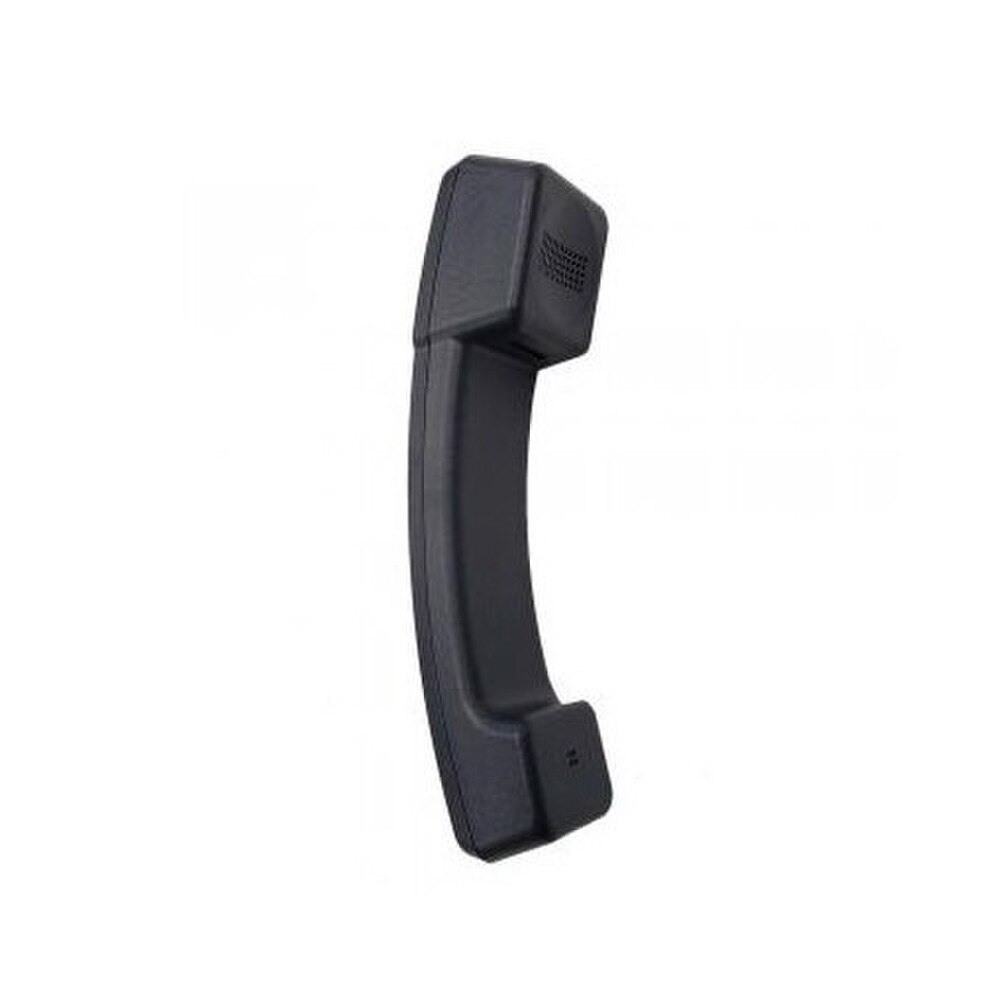


Avaya J100 IP Phones Handset (700513633) | Like New
SKU: 700513633-LN
 Same Day Shipping - Arrives in 3-5 Business Days
 /returns-icon.jpg) 30-day Returns
30-day Returns 
Have one to sell? Click here to sell to us
Same Day Shipping - Arrives in 3-5 Business Days 30-day Returns Have one to sell? Click here to sell to us
The Avaya J100 IP Phones Handset (700513633) is a genuine replacement phone for Avaya J100 series IP desk phones that provides pleasant, clear audio for regular business calls. For offices who wish to keep their Avaya J100 phone fleet looking professional and maintaining consistent call quality without having to replace complete devices, it is a useful accessory. This 32-ohm corded handset is designed to work with J129, J139, J159, J169, J179 and J189 models. It offers wideband (HD) audio to guarantee conversations on contemporary VoIP systems feel natural. It is a wise option for IT teams updating phones in contact centers, reception areas and general office settings because of its ergonomic design and plug-and-play installation.
• Compatible with Avaya J100 series IP phones including J129, J139, J159, J169, J179 and J189.
• Genuine Avaya replacement handset (part number 700513633).
• 32-ohm impedance optimized for J100 series audio performance.
• Supports wideband (HD) audio for G.722 and OPUS codecs and also works with narrowband codecs.
• Ergonomic handset design for comfortable extended use.
• RJ9 connector for simple corded handset connection.
• Black finish to match original J100 series aesthetics.
• Plug-and-play installation with no programming required.
🗹 Restores full calling functionality to aging or damaged J100 series phones without replacing the entire desk phone.
🗹 Maintains consistent, professional audio quality across the office phone fleet.
🗹 Reduces equipment costs by extending the useful life of existing Avaya J100 IP phones.
🗹 Minimizes downtime with a quick, straightforward handset swap.
🗹 Supports wideband audio for clearer, more natural conversations on compatible systems.
🗹 Keeps workstation appearance uniform with a factory-matched black handset design.
| Manufacturer | Avaya |
| Manufacturer Part Number | 700513633 |
| Product Name | Avaya J100 IP Phones Handset |
| Product Type | Handset |
| Impedance | 32 ohm handset receiver impedance |
| Audio Quality | Supports wideband (HD) audio on J100 phones that use wideband codecs |
| Color | Black |
| Connector Type | RJ9 handset connector (industry-standard 4P4C) |
| Approximate Weight | About 0.5 lb (shipping weight) |
| Compatibility – Phone Models | Avaya J129, J139, J159, J169, J179, and J189 IP phones |
| Compatibility – Series | Avaya J100 Series SIP/IP phones and related J100 platforms |
| Handset Type | Wired HAC (hearing-aid compatible) handset used on J100 series phones |
| Use Case | OEM spare/replacement handset for restoring full audio functionality on Avaya J100 IP phones |
| Installation | Plug-and-play into J100 handset jack; no programming required |
| Typical Environments | Offices, call centers, reception desks, and enterprise VoIP deployments using J100 phones |
It is a corded replacement receiver for selected Avaya J100 Series IP desk phones. It can replace an original handset that is cracked, worn, missing, or experiencing handset-related audio problems.
The most consistently listed compatible models are the Avaya J129, J139, J159, J169 and J179 IP phones. Buyers should verify the exact model label on the phone before ordering.
Yes. The J129 is included in compatibility listings for the 700513633 replacement handset.
Yes. The replacement handset is commonly listed for the Avaya J139 IP phone.
Yes. Compatibility listings identify the J159 among the supported J100 Series phones.
Yes. The J169 is one of the primary models listed for this OEM replacement receiver.
Yes. The J179 is included in multiple compatibility listings for part 700513633.
Some reseller listings extend compatibility to the J189, but the most consistent part-specific listings identify J129 through J179. Confirm the existing receiver, connector, and Avaya parts information before ordering it for a J189.
Yes. The handset is described as a wideband HD receiver and can support G.722 and Opus audio when the phone, communications platform and call path are configured for compatible wideband operation.
Yes. It can also be used with supported narrowband codecs, including G.711, G.729 and G.726 configurations.
Avaya lists wired handsets across the J129, J139, J159, J169, J179 and J189 as hearing aid compatible. Actual performance depends on the hearing device and phone configuration.
Compatible Avaya J100 Series phones support an amplified handset mode with up to 20dB of gain. The feature is controlled by the telephone rather than by a button on the replacement receiver.
Commercial specifications identify the Avaya 700513633 replacement handset as a 32-ohm corded receiver.
It is generally sold as a handset only. A compatible cord must normally be reused from the existing phone or purchased separately.
Yes, provided the existing cord has compatible modular connectors and is free from broken clips, exposed wiring, stretching, static, or intermittent audio.
No. Replacing the physical receiver does not normally require SIP provisioning, firmware installation, account registration, or changes to the phone system.
Disconnect the modular handset cord from the original receiver, insert it securely into the replacement handset, place the receiver in the cradle, and test both incoming and outgoing calls.
No. The extension, contacts, line appearances, call history, programmable buttons, and network settings are stored in the phone or communications platform—not in the handset.
It may fix the problem when the original receiver is defective. Similar symptoms can also be caused by a damaged handset cord, loose connector, phone hardware, network conditions, or communications-system configuration.
Check the exact model number on the underside or rear of the Avaya phone and verify that it is a supported J100 Series model. Compare the original receiver shape and modular connector, particularly when ordering for models not consistently listed with part 700513633.